01 / 06
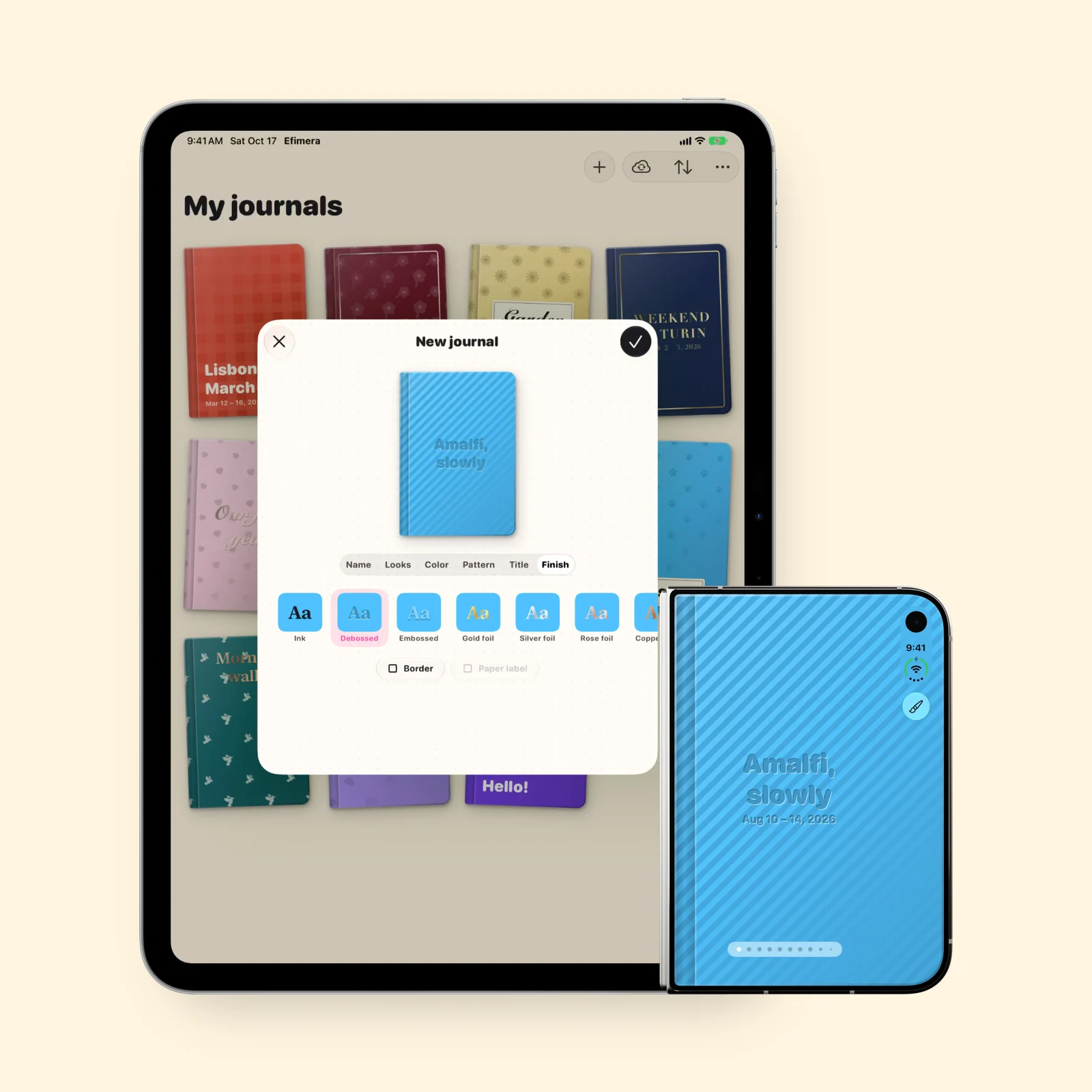
Start with the cover
Every journal begins with its cover: pick the cloth's color, a pattern, where the title sits and how it's pressed. When a journal is full, it waits on the shelf next to the others.
 Efimera
A photo, a ticket, a few words. Gather what a day leaves behind in a journal of your own, on iPad and iPhone.




Inside every journal
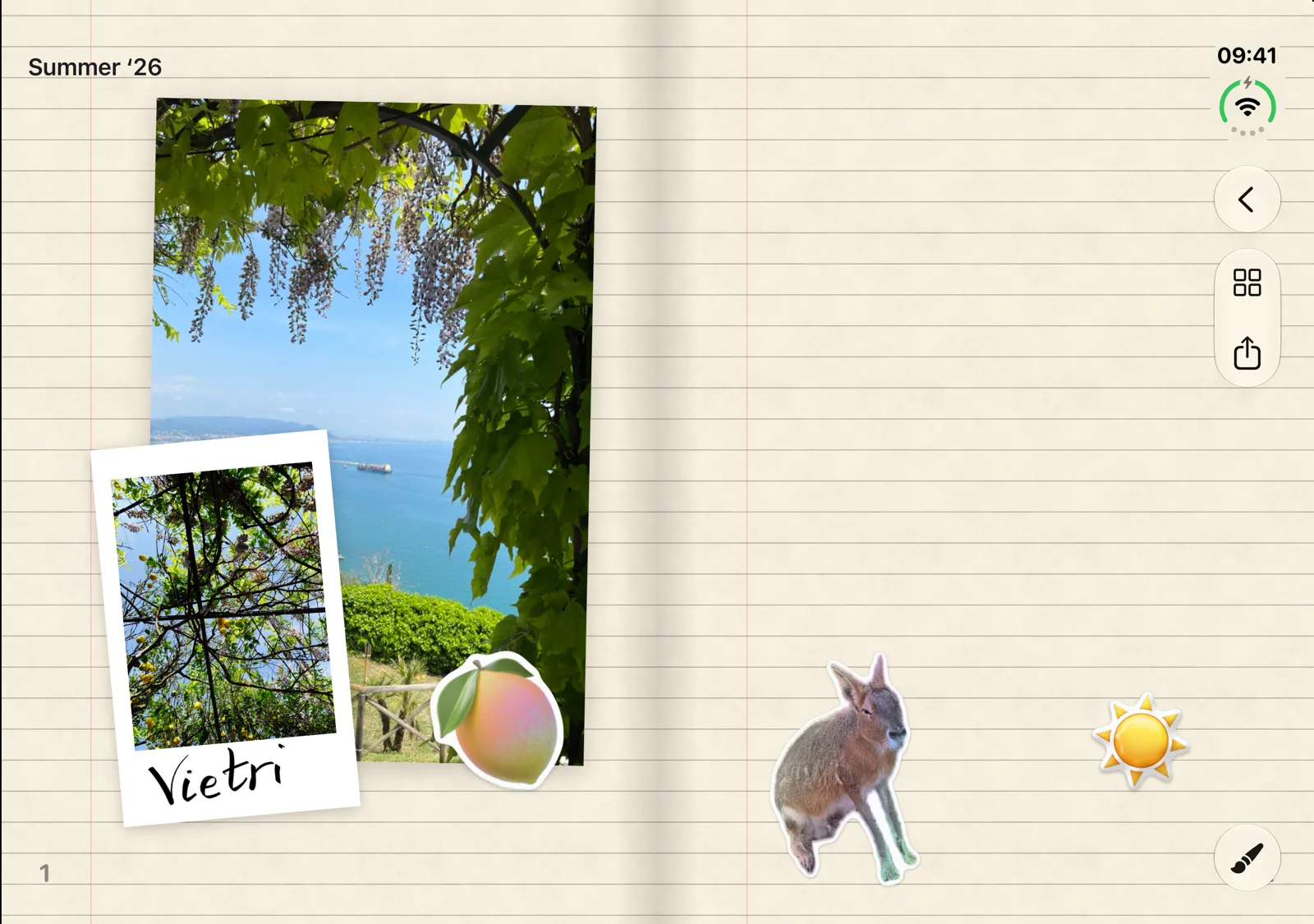
Lay down photos, add stickers and write around them, on iPhone, iPad and iPhone Duo.
01 / 06
Every journal begins with its cover: pick the cloth's color, a pattern, where the title sits and how it's pressed. When a journal is full, it waits on the shelf next to the others.
02 / 06
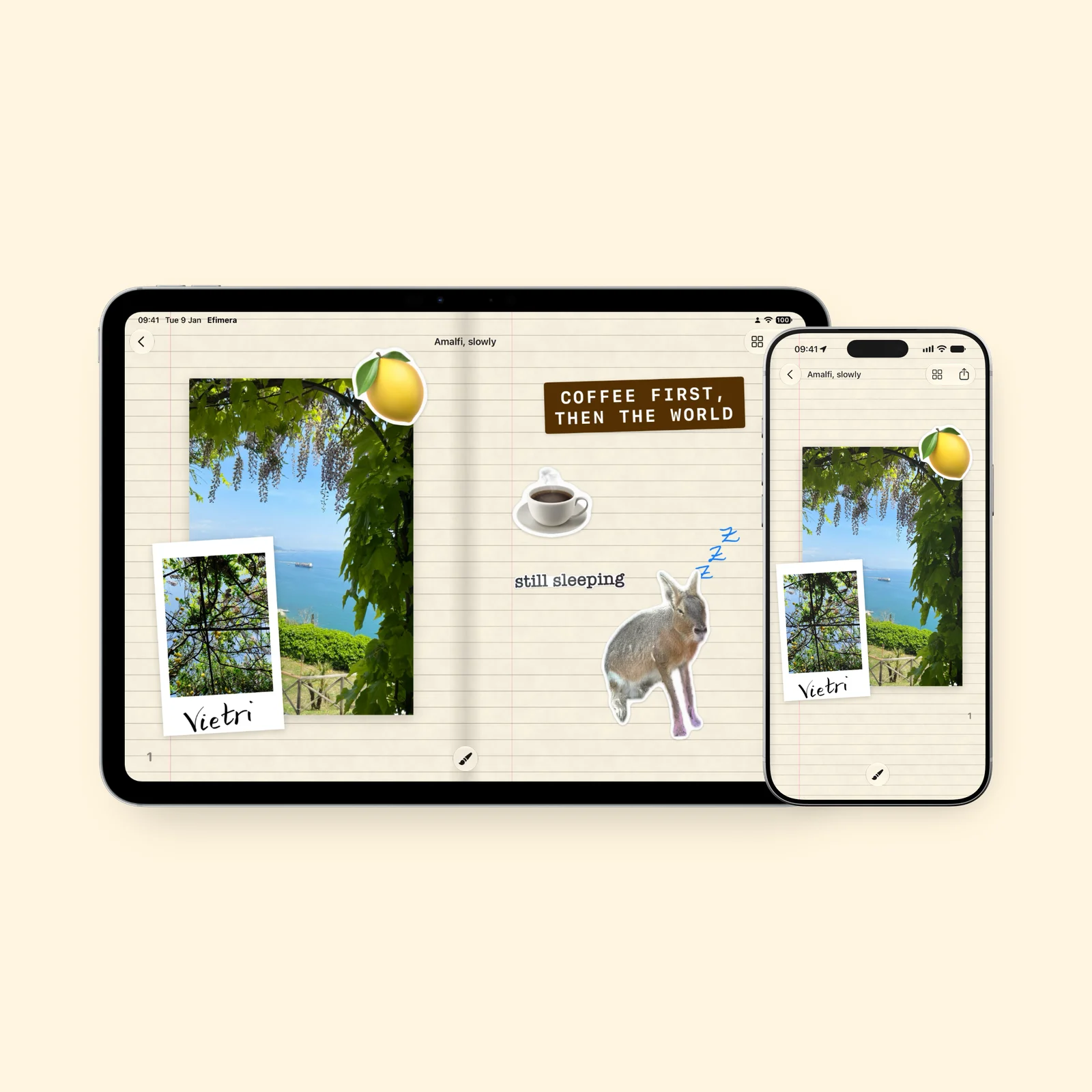
Pick photos from your library and they land on the page as prints, in many formats. Tape them down, tilt them, lay one over another.
03 / 06
Type in a typewriter face, a serif or another style, and draw with Apple Pencil or a finger.
04 / 06
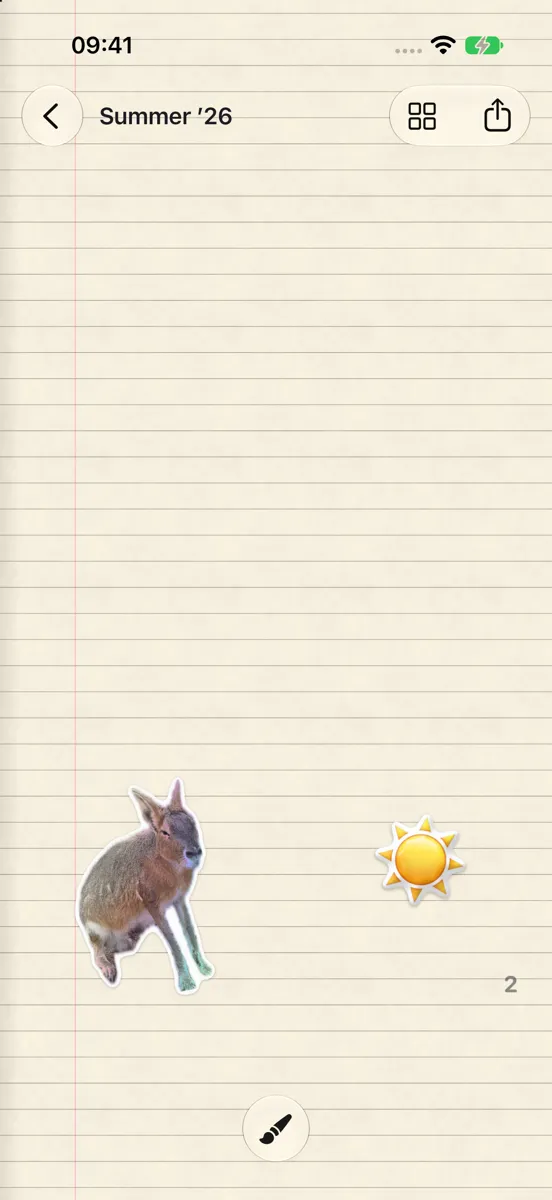
Stickers come in holographic, glossy vinyl, puffy and kraft finishes. Tilt the phone and their highlights move. Cut a pet or a friend out of a photo and they become a sticker too.
05 / 06
Every journal is a book. On iPhone and on iPad in portrait you turn one page at a time. On iPad in landscape and on the open iPhone Duo, two pages lie side by side.
06 / 06
Your journals follow you to every device through iCloud, and you can share one with the people who were there. We can't see them.
Your turn
Pick a cover, put down a photo from today and write a few words beside it. The journal stays on your devices and in your iCloud, and opens where you left it on iPad and iPhone.
Free. Out on October 23.
Can't wait? Try the beta on TestFlight.